Guide to Changing Text Content on Website
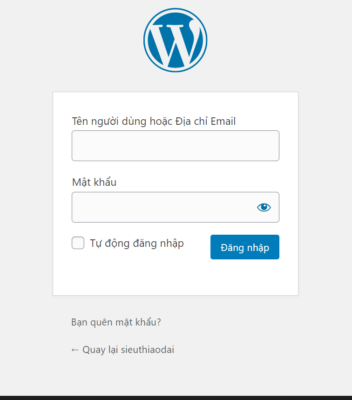
1Login to Admin Dashboard
In this step, we will guide you on how to login to your website admin panel.
Access the website link: https://domain.com/admin
Enter the username and password provided by Innocom
2Admin Dashboard Interface
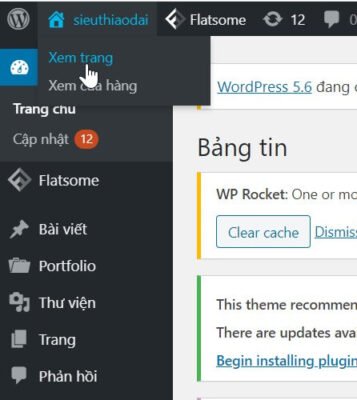
After successfully logging in to the admin page:
Move your mouse cursor to the home icon on the left side of the screen
Select "View Page"
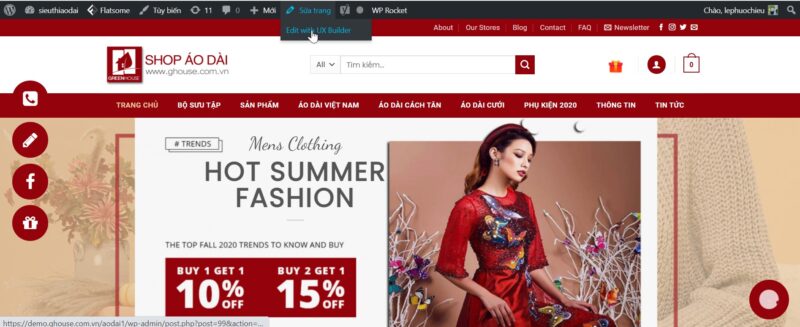
Edit Page → Edit with UX Builder
3Change Text Content on Website
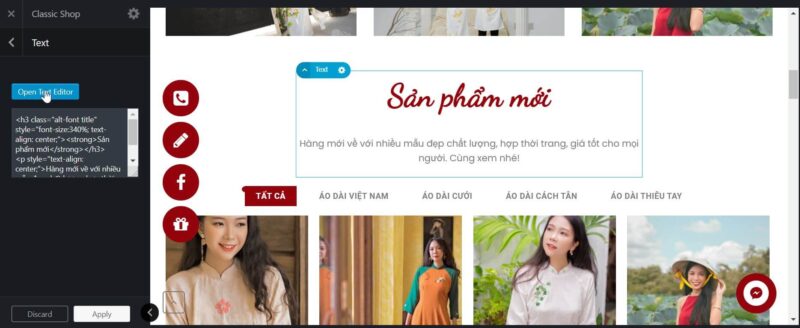
To edit a text paragraph, double-click on that paragraph.
Text panel appears → Open Text Editor
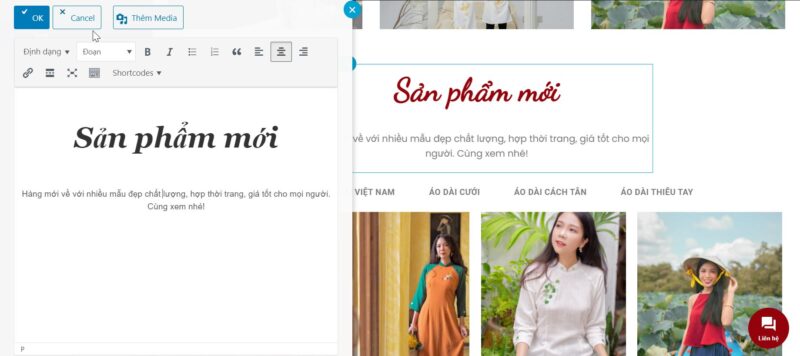
After editing, click OK
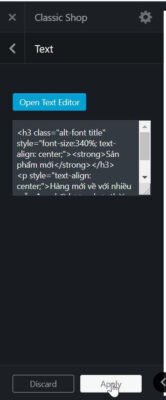
Select Apply
Finally select Update
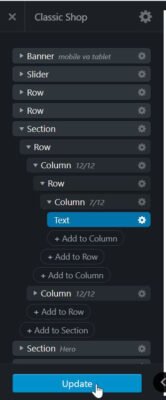
✓ After completing the steps above, remember to return to the homepage to check your website!
INNOCOM TECHNOLOGY AND BUSINESS CONSULTING COMPANY LIMITED
Technical Support:
1900.068.895
Hanoi Consulting:
+84 964 738 895
+84 934 478 895
HCMC Consulting:
+84 941 338 895
+84 982 768 895
Email:
Hanoi Office:
Floor 17, VTC Online Building – 18 Tam Trinh – Hai Ba Trung – Hanoi
HCMC Office:
Floor 46 – Bitexco Financial Tower – 2 Hai Trieu – Ben Nghe – Dist.1 – HCMC