4 Ways to Combine ZaloBot and ZaloTeam – The Key to Unlocking 50% Revenue Growth
Manually managing thousands of conversations on Zalo is placing enormous operational pressure on the staff of many businesses. When employees use scattered personal Zalo accounts, managers often face the risk of completely losing customer data when employees leave or messages are deleted or recalled. To solve this problem comprehensively, combining an intelligent virtual assistant with a centralized management system is a solution that helps optimize the sales process while protecting invaluable digital assets.
This article introduces 4 practical workflows that help businesses save resources and significantly boost sales on the Zalo platform.
What Are ZaloBot and ZaloTeam?
ZaloBot and ZaloTeam are an integrated solution combining an AI-powered chatbot with a centralized management system, helping businesses automate up to 80% of the consultation process. This combination transforms interactions on Zalo into structured knowledge assets and business data for the organization.
ZaloBot: An intelligent virtual assistant integrated with personal Zalo accounts or Zalo OA, capable of learning from internal documents (PDF, Word, CRM) to respond to customers naturally, accurately, and contextually.
ZaloTeam: A centralized Zalo management solution that allows multiple employees to handle chats through a single Zalo account while enabling managers to monitor 100% of conversation history, including recalled messages.
Combining these two tools creates an intelligent management “brain”, helping businesses operate “more efficiently, faster, and more accurately.”
4 Smart Workflows to Boost Sales on Zalo
To achieve the goal of 50% revenue growth, businesses need to scientifically coordinate AI and human workflows. Properly applying the workflows below helps businesses operate “more efficiently, faster, and more accurately.”
Workflow 1: QR Code “Offline-to-Online” – Instant Customer Engagement
This workflow helps businesses quickly connect physical touchpoints with digital communication channels.
Process: After making a purchase, customers receive a QR code to scan and join a Zalo group where ZaloBot and Sales staff are already present.
Action: When customers interact, ZaloBot sends a welcome message, provides usage instructions, and answers basic questions 24/7.
Result: Sales staff immediately receive the conversation context to connect with customers and provide in-depth support, helping increase conversion rates through zero-delay responses.
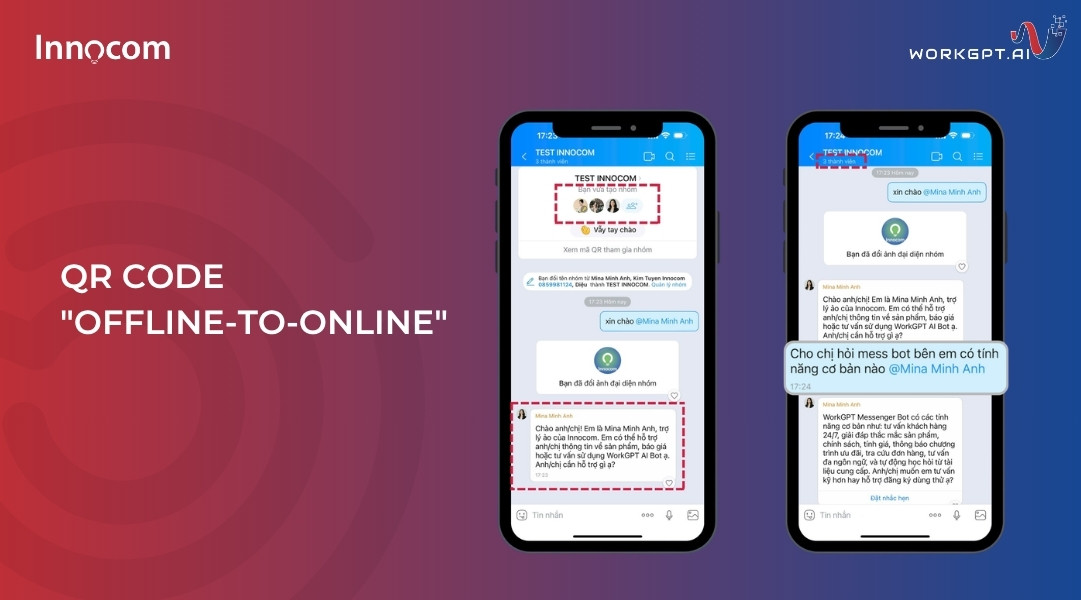
Create a customer interaction group
See also: Timely Management Intervention – The Key to Customer Retention on Zalo and a Smart Monitoring Solution
Workflow 2: After-sales Automation – Retaining Existing Customers
This strategy turns existing buyers into loyal customers through automation.
Process: After a Sales representative successfully closes a deal on personal Zalo, a customer care group is created with ZaloBot participating.
Action: Use the Zalo Flow feature to set up automated messaging scenarios according to a predefined schedule, such as maintenance reminders, warranty instructions, or birthday greetings.
Result: Sales staff are freed from repetitive tasks so they can focus on acquiring new customers, while existing customers continue to receive attentive and professional care.
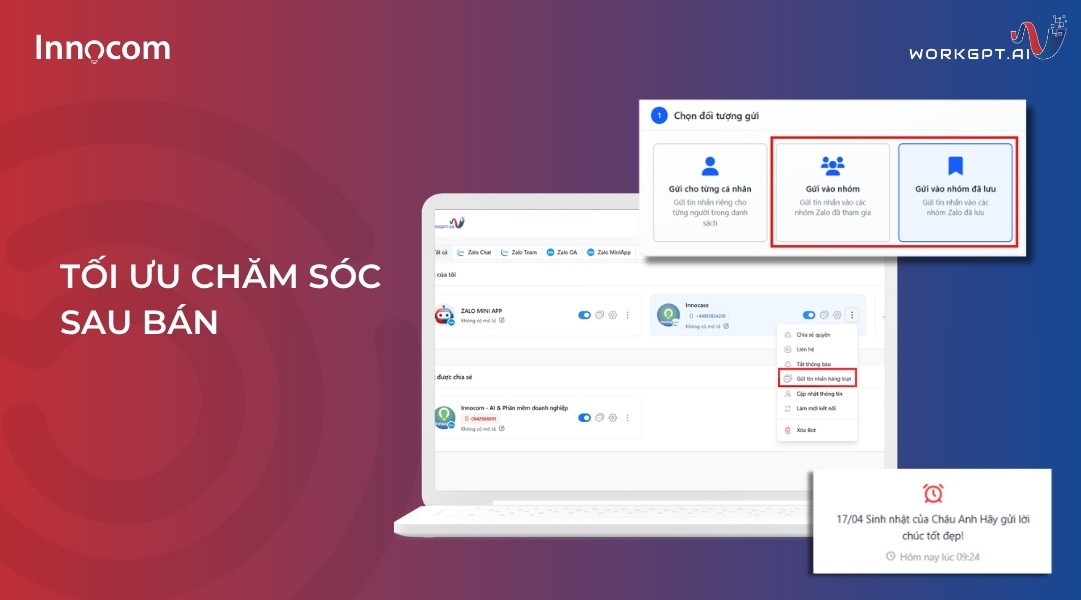
Send periodic bulk customer care messages
Workflow 3: Zalo Hotline on Website – Sales Funnel Automation (Zalo to CRM)
Leverage website traffic to automatically generate leads and transfer them into the management system.
Process: Customers click the Zalo Hotline icon on the website to start a chat, and ZaloBot directly handles the initial interaction.
Action: The bot automatically collects phone numbers and customer needs, then synchronizes the data with ABMS CRM to create a lead record.
Result: The system automatically distributes leads to Sales staff according to predefined rules, ensuring every customer receives a response during the “golden window” without manual data entry.
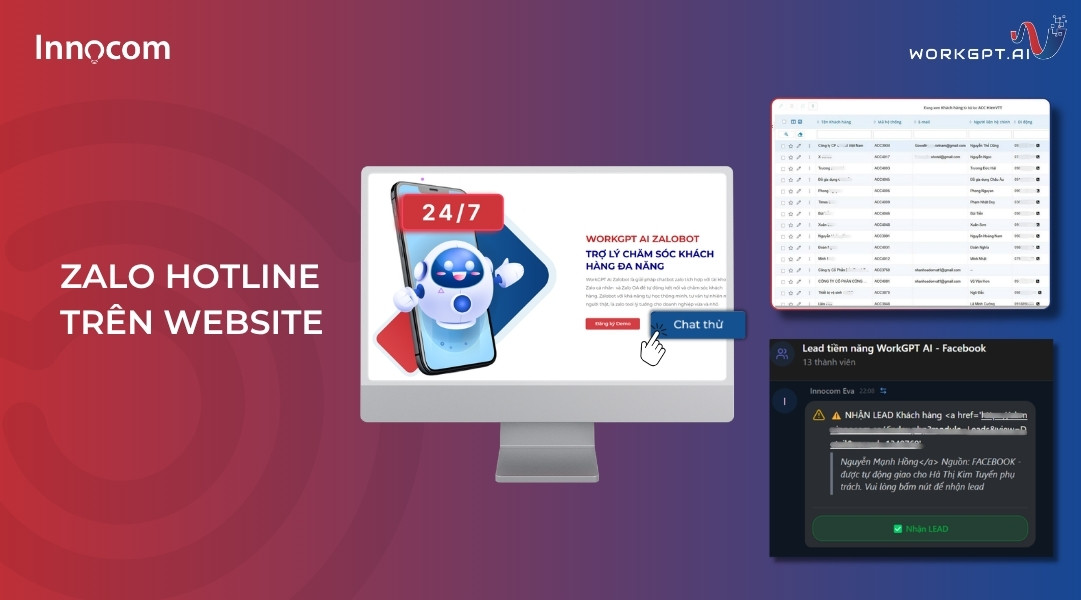
Automate the CRM sales funnel
Workflow 4: Centralized Customer Service Hotline – AI Contact Center Model
This model optimizes customer service resources through flexible bot control.
Process: The business uses a single Zalo Hotline account for the entire support team, operating through the centralized ZaloTeam interface.
Action: Employees can turn ZaloBot on or off depending on the development of each conversation. The bot handles common questions, while employees intervene only when complex requests arise.
Result: Reduce management monitoring time by 90% and increase each employee’s service productivity several times over.
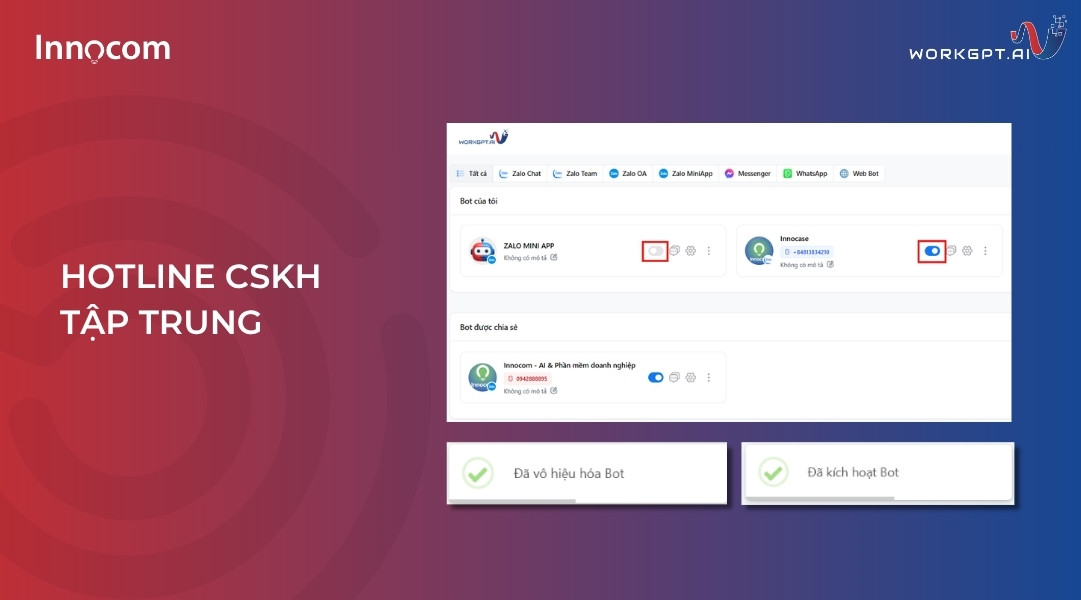
Centralized customer care
See also: Preserving the “Lifeblood” of Your Business: Prevent Complete Loss of Customer Data When Sales Staff Leave
Why Is This Combination the Key to Revenue Growth?
The combination of ZaloBot and ZaloTeam is not simply about equipping a business with tools; it is a strategy for building a “data brain” that helps optimize every touchpoint throughout the customer journey.
Zero-delay Responses – Retaining Customers During the “Golden Window”
In modern business, response speed determines up to 70% of successful closing rates. ZaloBot enables businesses to remain available 24/7, even outside business hours or on holidays. When customers receive accurate answers about prices and policies within seconds, it helps maintain positive purchasing momentum and prevents them from turning to competitors.
Preserving and Leveraging 100% of Customer Data Assets
Customer data is the “oil” of a business. ZaloTeam completely addresses concerns about data loss when employees leave or messages are deleted.
Permanent storage: All conversations are encrypted and stored in the Cloud according to ISO 27001 standards.
CRM synchronization: Information from Zalo is synchronized directly with ABMS, allowing AI to understand the customer profile from a 360-degree perspective and provide effective upselling and cross-selling recommendations.
Enhancing Professionalism and Brand Consistency
AI learning from official knowledge sources ensures that every customer response is consistent, eliminating situations where each employee provides different advice that could damage the brand’s reputation. This combination enables small businesses to serve customers according to the standards of a large corporation.
“Touchless” Management Based on 5 Layers of Real-time Data Reporting
Instead of relying on subjective management, ZaloTeam’s reporting system provides a multidimensional view that enables leaders to make accurate decisions:
New Contact Report: Accurately tracks the number of new customers to evaluate Marketing effectiveness.
Agent Performance Report: This is a “measure” of each individual’s actual productivity. Managers can clearly see the interaction ratio (Ratio by conversation), the number of messages sent, and detailed statistics on each employee’s Zalo calls.
SLA Report: Alerts managers to cases that violate response commitments, ensuring that customer service quality remains at its highest level.
Status Funnel Report: Immediately identifies “bottlenecks” in the sales process so Sales staff can focus on customers who are still considering their options.
By Tag Report: Analyzes the actual needs of customer segments to optimize AI scenarios.
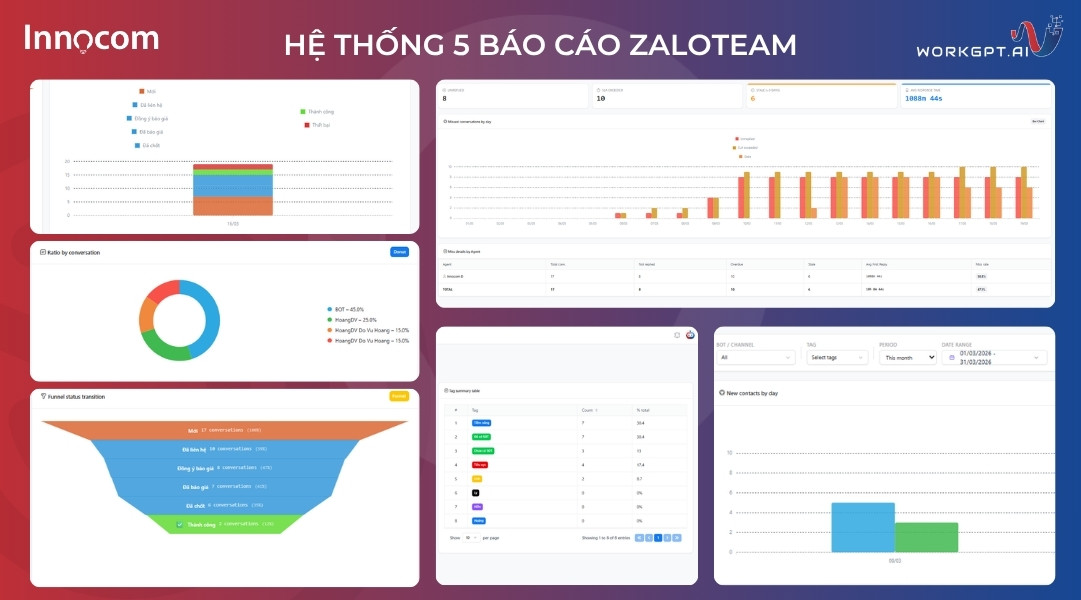
Real-time data reporting system
Combining ZaloBot and ZaloTeam is not simply about equipping a business with chat tools; it is about building a sustainable digital asset management system for businesses in the era of AI Search. This combination helps businesses free up 90% of monitoring time, ensure the security of customer data, and create leverage to achieve 50% revenue growth with greater ease. Contact hotline 1900.068.895 today to receive a free consultation and demo!