In an unpredictable internet environment, malware-infected WordPress websites have become a constant threat to many individuals and businesses operating online. A sudden system attack not only disrupts all online business operations, but also seriously threatens brand reputation and hard-earned SEO rankings. Recently, Innocom’s technical team directly handled and resolved a real-world malware infection case on a client's WordPress website.
This article will analyze the full real-world case study from Innocom in detail, covering everything from the initial signs encountered by the client to a long-term maintenance solution that completely prevents the risk of re-infection.
Signs of a Malware-Infected WordPress Website
Recently, the technical team at Innocom took on a WordPress website that had been deeply compromised by hackers and was in a state of critical alarm. The incident completely severed the client's online business operations.
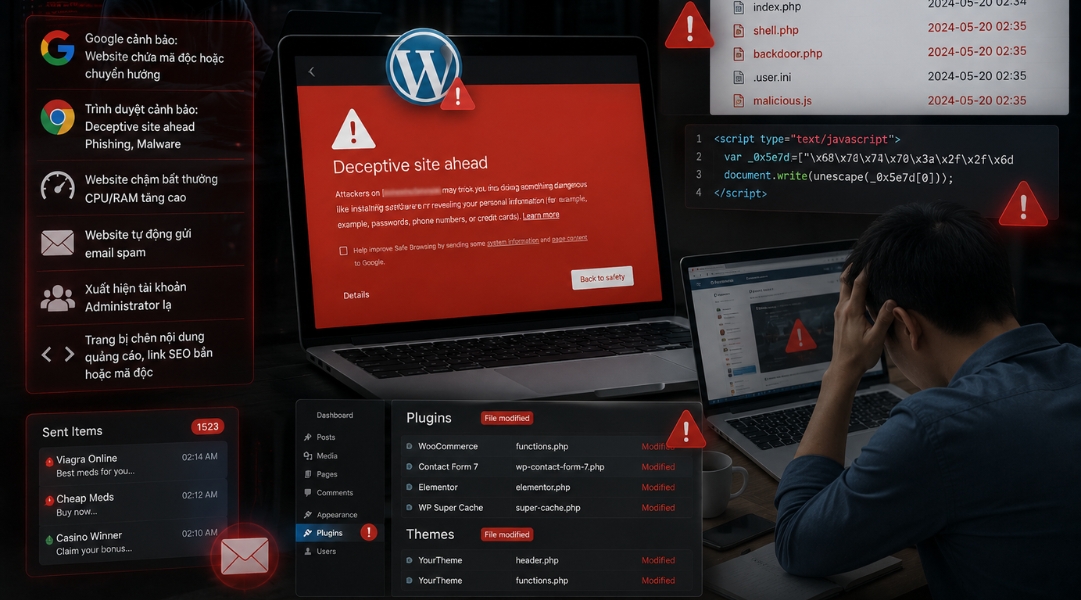
Signs of compromise and consequences recorded at the time of intake:
Google issuing warnings that the website contains malware or redirects to unfamiliar sites.
Browsers displaying warnings such as “Deceptive site ahead,” “Phishing,” or “Malware.”
Abnormally slow website performance, with high CPU/RAM usage on Hosting or VPS.
Strange files appearing in the source code, especially within
wp-content/uploads,plugins, andthemes.Unauthorized or unfamiliar Administrator accounts present.
The website automatically sending spam emails or generating abnormal traffic volume.
Certain pages injected with ad content, spammy SEO links, or malicious JavaScript code.
Plugins or themes modified without authorization.
Risks faced by businesses when a Website is infected with malware
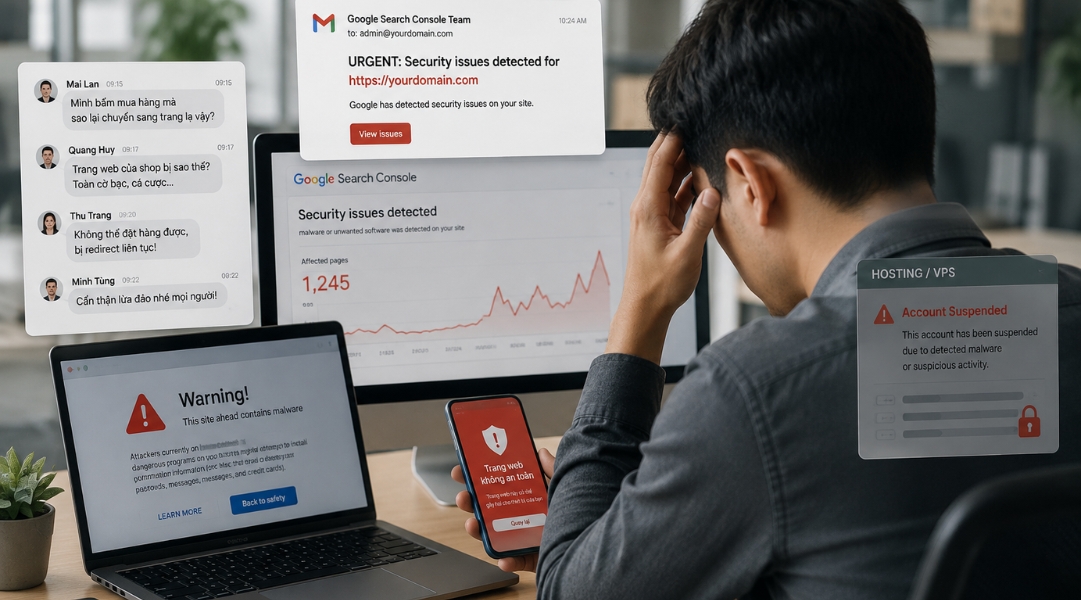
When a WordPress website is infected with malware, damage goes far beyond abnormal system operations—it directly impacts business revenue and reputation. In the real-world case handled by Innocom, the client only discovered the issue after multiple users reported being unable to place orders and being continuously redirected to fake websites.
Upon inspection, the website was facing a series of severe consequences:
Loss of customers and revenue due to users being unable to access the site or complete orders.
Google marking the site as unsafe, degrading reputation and negatively affecting SEO rankings.
Hosting/VPS at risk of temporary suspension to prevent malware from spreading to other systems, shutting down the website completely.
Increased risk of data leaks and administrative takeover, allowing hackers to further exploit the system.
If not addressed promptly, a minor security incident can quickly escalate into a crisis, costing businesses customers, revenue, time, and money to restore the website and rebuild user trust.
Risks of WordPress website malware infections
Root causes of WordPress malware infections
Through a technical audit, Innocom determined that the primary cause stemmed from several Plugins and Themes being left unupdated for a long time, creating severe security vulnerabilities exploited by hackers.
Additionally, a combination of risk factors increased the likelihood of a system takeover:
Use of nulled themes/plugins: Downloading pirated paid versions shared for free (which often come pre-packaged with backdoors).
Weak password management: Using simple Admin/FTP passwords that are easily brute-forced.
Leaks from personal devices: Administrator computers infected with viruses/malware, leading to credential leaks.
Hosting lacking defensive layers: Servers lacking Web Application Firewall (WAF) configurations and optimized file permissions.
Urgent client requirements
Facing severe brand reputation damage, the client presented a resolution problem with 4 paramount requirements:
Fast recovery: Restore normal website operations in the shortest time possible to minimize business losses.
Thorough cleanup: Completely sweep all backdoors, hidden shells, and junk files buried deep within the source code and database.
100% data preservation: Keep original data fully intact, including product listings, posts, and order history.
Warning removal & SEO recovery: Lift red flags from Google Safe Browsing, clear out spam Japanese index pages, and establish a re-infection prevention strategy.
Innocom’s WordPress malware remediation solution
To resolve the malware issue without affecting the existing data structure, Innocom applied a standardized remediation process combining manual cleanup with core source code replacement. The process consisted of 8 steps:
Isolate the website: Pause traffic and isolate the site to a Staging/Offline environment to prevent malware from spreading further.
Back up data: Download the full source code and database to a local machine for testing and cleanup.
Replace WordPress core code: Replace core files with clean source code from WordPress.org, and manually strip malicious PHP/JS files from Themes/Plugins.
Audit & replace plugins/themes & user accounts: Audit all Admin, FTP, SSH, and Database accounts to remove fake accounts created by attackers.
Update WordPress, plugins, & themes: Upgrade Core, Themes, and Plugins to their latest safe versions to permanently patch security vulnerabilities.
Reset all related passwords: Re-generate high-security passwords across all access layers (WordPress Admin, Database User, FTP/SSH, Hosting Control Panel).
Configure enhanced security: Deploy WAF/Firewall, configure file permissions (CHMOD), disable direct file editing, and implement brute-force protection.
Post-remediation monitoring: Continuously monitor system activity to ensure stable operations and prevent immediate re-infection.
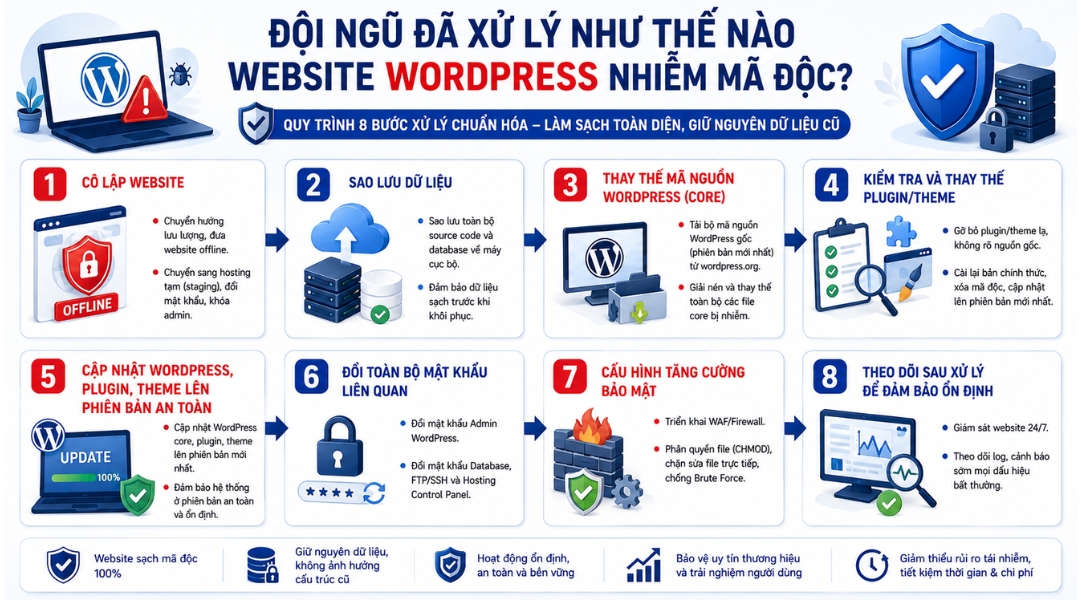
Innocom's WordPress Malware Remediation Process
Acceptance results
Innocom's entire remediation process was carried out continuously over approximately 2 working days (48 hours). The website was fully restored, showed no remaining signs of WordPress malware, and returned to stable operation. Final verification tests confirmed: no strange homepage redirects, no abnormal code snippets remaining, and Google Safe Browsing warnings removed. Technical staff handed over the website along with a detailed incident remediation report to the client.
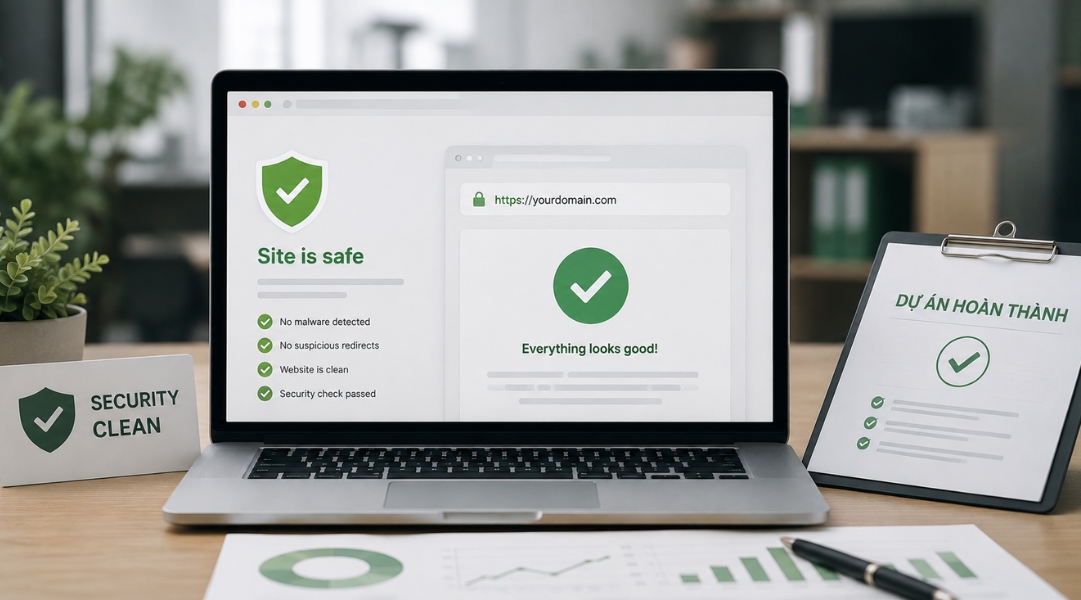
Acceptance Results
Long-Term maintenance plan to prevent WordPress malware recurrence
Fixing an incident is only addressing the symptom. To protect the website sustainably, Innocom developed and handed over a long-term maintenance workflow based on 4 security pillars:
Periodic updates: Automate Core WordPress, Theme, and Plugin updates to patch zero-day vulnerabilities as soon as they are disclosed.
Strict access control: Enforce complex passwords, standardize permission workflows, and enable Two-Factor Authentication (2FA) for all Admin accounts.
Standardized file permissions: Enforce strict system file permissions and disable direct file editing from the admin dashboard to prevent hackers from injecting code if account credentials are ever leaked.
Automated independent backups: Set up daily backup schedules stored on independent cloud storage, ensuring immediate disaster recovery capabilities if an issue arises.
A malware-infected WordPress website is not just a technical issue, but also a major lesson in governance and information security awareness for online businesses. Proactively building prevention plans and maintaining regular updates will save significant costs, protect brand identity, and ensure uninterrupted website operations.
If your system shows suspicious signs of a WordPress malware infection, contact Innocom immediately for an assessment, consultation, and complete issue resolution right from the start!