1Login to Admin Dashboard
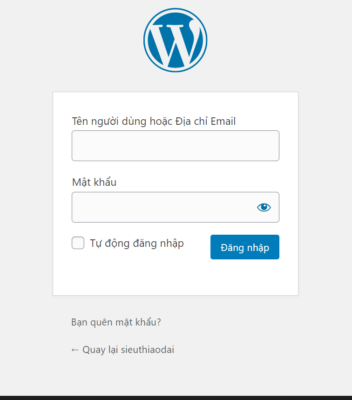
In this step, we will guide you on how to login to your website admin panel.
Access the website link: https://domain.com/admin
Enter the username and password provided by Innocom
2Admin Dashboard Interface
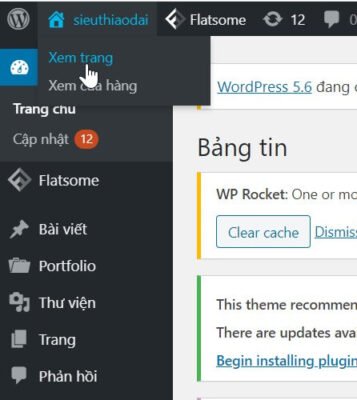
After successfully logging in to the admin page:
Move your mouse cursor to the home icon on the left side of the screen
Select "View Page"
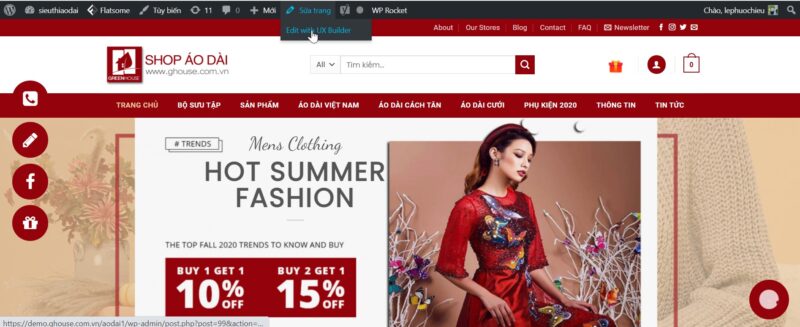
Edit Page → Edit with UX Builder
3Change Text Content on Website
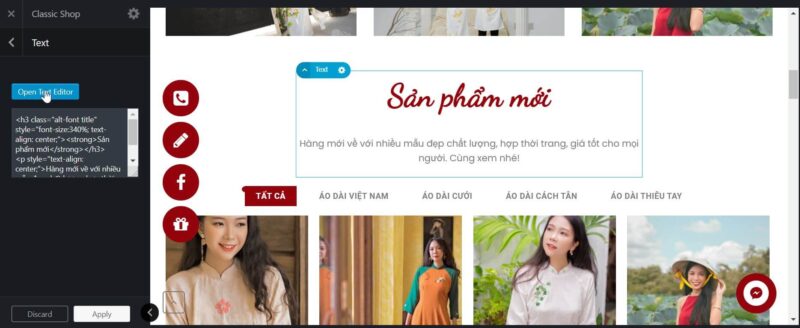
To edit a text paragraph, double-click on that paragraph.
Text panel appears → Open Text Editor
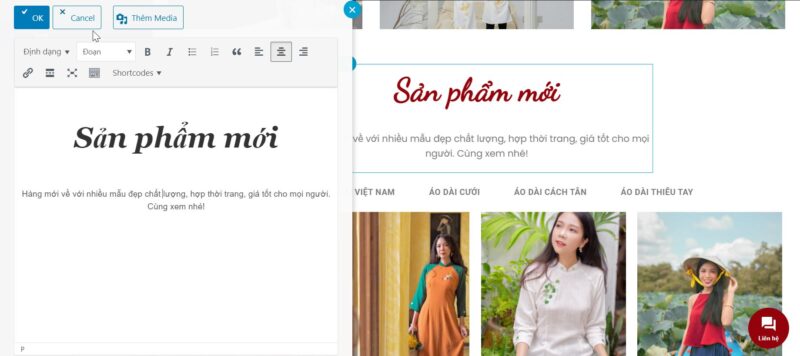
After editing, click OK
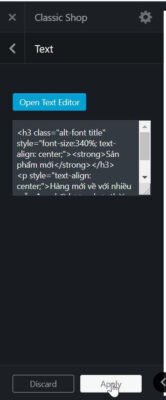
Select Apply
Finally select Update
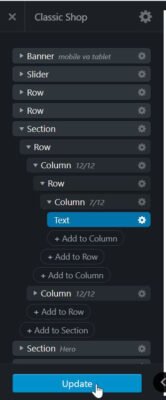
✓ After completing the steps above, remember to return to the homepage to check your website!
INNOCOM TECHNOLOGY AND BUSINESS CONSULTING COMPANY LIMITED
Technical Support:
1900.068.895
Hanoi Consulting:
+84 964 738 895
+84 934 478 895
HCMC Consulting:
+84 941 338 895
+84 982 768 895
Email:
Hanoi Office:
Floor 17, VTC Online Building – 18 Tam Trinh – Hai Ba Trung – Hanoi
HCMC Office:
Floor 46 – Bitexco Financial Tower – 2 Hai Trieu – Ben Nghe – Dist.1 – HCMC