Step 1: Log in to the admin page
In this step, I'm going to show you how to log in to the website administrator.
Access to the link: https://domain.com/admin
Enter the username and password provided by Green House

Step two: Meet up. admin page
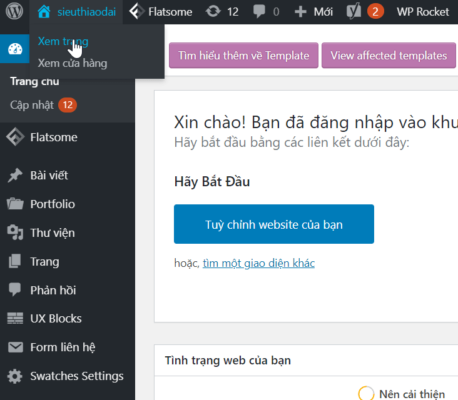
Once you have logged into the admin page, continue with the following:
Move the mouse pointer to the home icon on the left side of the screen -> View page
Step 3: Change the contact information
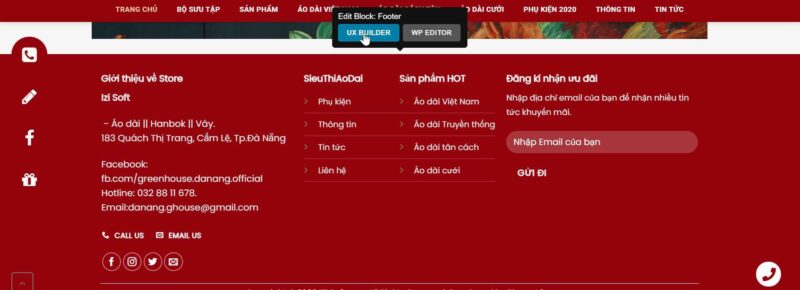
At this point, I'm going to change the contact information.
Drag to the bottom of the page -> Edit Block: Footer -> Select UX BUILDER
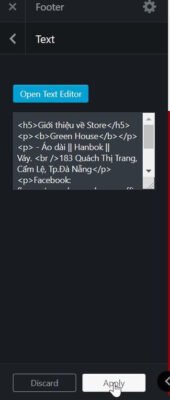
Select the content to edit -> Open Text Editor
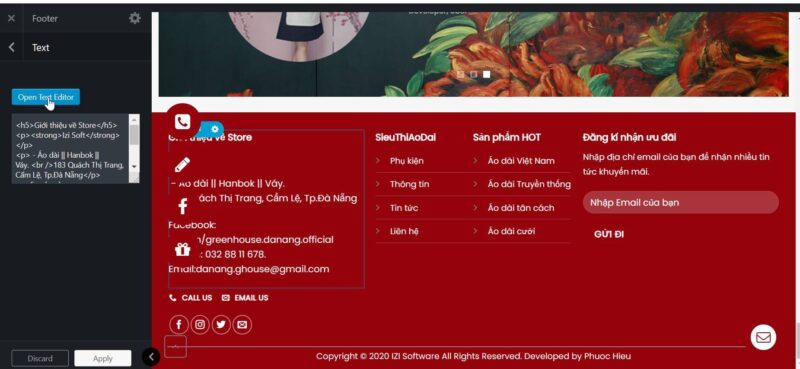
Click OK when you're finished editing.
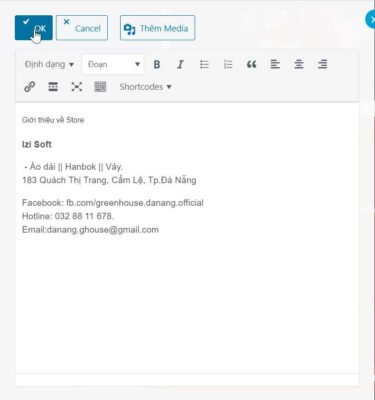
Select Apply
And then remember to update.
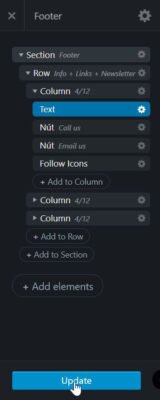
Once you've completed the above steps, remember to go back to the homepage and check out the website.
Incredible company with a reputation for innovation.
Technical support: 1900.068.895
Advising HN 1: +84 964 738 895
Advising HN 2: +84 934 478 895
Advisory to the CMU 1: +84 941 338 895
Advisory to HCM 2: +84 982 768 895
E-mail: [email protected]
17th floor, VTC building online - 18 Triple Crown - two daughters - Hanoi
46th floor - Bitexco Financial Tower - number two